
Event Properties vs User Attributes in Optimizely: Essential Guide for Data Collection
 David SertillangeIndependent experimentation specialist
TL;DR
Understanding the distinction between event properties and user attributes is crucial for effective data collection in Optimizely. This guide helps you implement the right strategy for your experimentation and analytics needs.
Core Concepts: Properties vs Attributes Defined
The fundamental difference between event properties and user attributes lies in their scope and persistence. Event properties describe what happened during a specific action, while user attributes describe who the user is across all their interactions with your application.
flowchart TB
    A{Action or user?} -->|action| EP[Event property]
    A -->|user| UA[User attribute]
    style EP fill:#e1f5fe
    style UA fill:#e8f5e9
Event Properties: Context for Individual Actions
Event properties are contextual metadata that describe the circumstances of a specific event. They capture the details of what occurred at the moment an action was taken. These properties are temporary and exist only for the duration of that particular event.
Key characteristics of event properties:
Event-specific: Only relevant to the moment the event occurs
Non-persistent: Not stored with the user profile
Contextual: Describe the details of the action taken
Variable: Can change from event to event for the same user
User Attributes: Persistent User Characteristics
User attributes are persistent characteristics that describe who the user is. Use these attributes for audience targeting based on location, device type, subscription plan, and similar characteristics. They remain associated with the user until you explicitly update them.
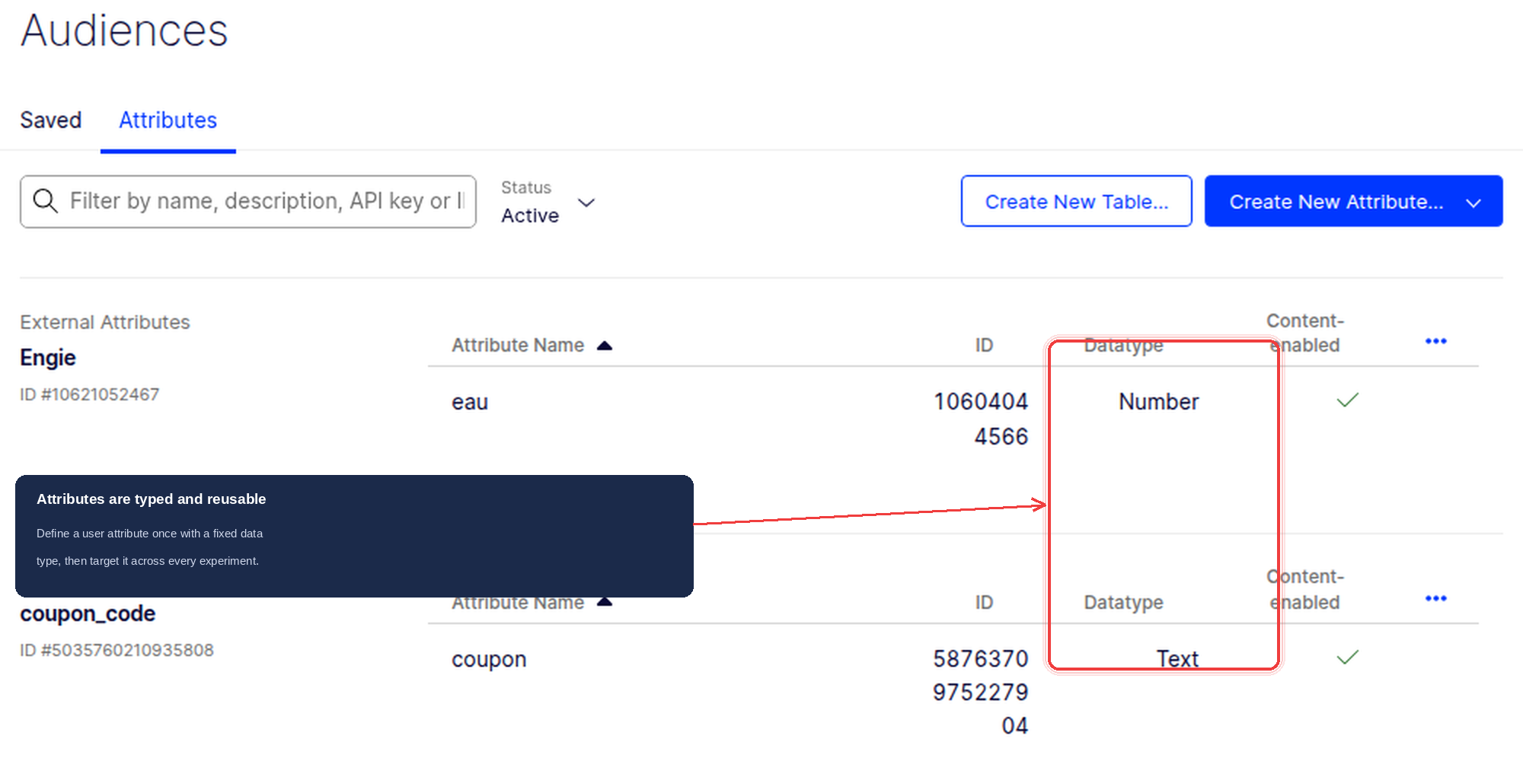
Key characteristics of user attributes:
User-specific: Describe characteristics of the user
Persistent: Remain with the user across sessions
Targeting-ready: Used for audience segmentation and experiment targeting
Stable: Generally consistent unless user profile changes
Technical Implementation: Code Examples and Syntax
Examine how to implement both event properties and user attributes using Optimizely’s JavaScript SDK v6+.
Event Properties with $opt_event_properties
Pass event properties using the `$opt_event_properties` key within the eventTags parameter:
// Create user context with attributes
const attributes = { logged_in: true };
const user = optimizely.createUserContext('user123', attributes);

// Map of event properties for this specific purchase
const properties = {
  category: 'shoes',
  color: 'red',
  brand: 'Nike',
  discount_applied: true,
  payment_method: 'credit_card'
};

// Complete eventTags object
const tags = {
  $opt_event_properties: properties,
  revenue: 10000,  // in cents
  value: 100.00
};

// Track the purchase event
user.trackEvent('purchase', tags);
User Attributes in Context Creation
Set user attributes during user context creation or dynamically using setAttribute:
// Option 1: Set attributes during user creation
const attributes = {
  is_logged_in: true,
  subscription_tier: 'premium',
  location: 'US',
  device_type: 'mobile',
  customer_segment: 'high_value'
};
const user = optimizely.createUserContext('user123', attributes);

// Option 2: Set attributes dynamically
const user = optimizely.createUserContext('user123');
user.setAttribute('is_logged_in', true);
user.setAttribute('subscription_tier', 'premium');
user.setAttribute('location', 'US');
Note: Setting attributes dynamically allows you to update user characteristics as they change during a session.
Reserved Tags vs Custom Properties
Understand the difference between reserved event tags and custom event properties:
Reserved tags:Built-in tags like `revenue` (integer in cents) and `value` (floating point) for standard metrics
Custom event properties: Your own contextual data passed via `$opt_event_properties`
const eventTags = {
  // Reserved tags - handled specially by Optimizely
  revenue: 5000,      // $50.00 in cents
  value: 85.5,        // Custom numeric value

  // Custom event properties - your contextual data
  $opt_event_properties: {
    product_id: 'SKU-12345',
    category: 'electronics',
    source_campaign: 'summer_sale'
  }
};
Practical Use Cases: When to Use Each
Understanding when to use event properties versus user attributes is crucial for effective data architecture. Here are real-world scenarios to guide your decision-making.
E-commerce Scenario: Purchase Events
Event Properties (Purchase-specific details):
Product category purchased
Item price and quantity
Discount code used
Payment method selected
Shipping method chosen
User Attributes (Customer characteristics):
Customer tier (Bronze, Silver, Gold)
Geographic location
Account age
Preferred language
Marketing consent status
// User attributes - persist across all events
const userAttributes = {
  customer_tier: 'gold',
  country: 'US',
  preferred_language: 'en',
  account_age_days: 365
};
const user = optimizely.createUserContext('customer_456', userAttributes);

// Event properties - specific to this purchase
const purchaseProperties = {
  product_category: 'electronics',
  item_price: 299.99,
  discount_code: 'SAVE20',
  payment_method: 'apple_pay',
  shipping_speed: 'express'
};

user.trackEvent('purchase', {
  $opt_event_properties: purchaseProperties,
  revenue: 29999
});
Content Platform: Article Views
Event Properties (Article-specific details):
Article topic and category
Reading time and scroll depth
Traffic source
Time of day accessed
User Attributes (Reader characteristics):
Subscription status
Content preferences
Reading frequency
Device preference
// User attributes - reader profile
const readerAttributes = {
  subscription_status: 'premium',
  content_preference: 'technology',
  reading_frequency: 'daily',
  device_preference: 'mobile'
};
const user = optimizely.createUserContext('reader_789', readerAttributes);

// Event properties - this specific article view
const viewProperties = {
  article_topic: 'artificial-intelligence',
  article_category: 'tech',
  reading_time_seconds: 180,
  traffic_source: 'social_media',
  scroll_depth_percentage: 85
};

user.trackEvent('article_view', {
  $opt_event_properties: viewProperties
});
SaaS Application: Feature Usage
Event Properties (Usage-specific details):
Feature name and module
Session duration
Actions performed count
Error occurrences
User Attributes (Account characteristics):
Plan type and billing status
Company size
Industry vertical
User role
// User attributes - account profile
const accountAttributes = {
  plan_type: 'enterprise',
  company_size: 'large',
  industry: 'finance',
  user_role: 'admin',
  billing_status: 'current'
};
const user = optimizely.createUserContext('user_321', accountAttributes);

// Event properties - this specific feature usage
const usageProperties = {
  feature_name: 'advanced_analytics',
  feature_module: 'reporting',
  session_duration_minutes: 25,
  actions_performed: 12,
  errors_encountered: 0
};

user.trackEvent('feature_usage', {
  $opt_event_properties: usageProperties,
  value: 25.0  // Session duration as value
});
Data Collection Strategy: Best Practices
Implement an effective data collection strategy by understanding the lifecycle, performance implications, and integration considerations for both event properties and user attributes.
Persistence and Lifecycle Management
User Attributes Persistence:
User attributes persist throughout the user’s session and beyond
They remain available for audience targeting until explicitly updated
Updates override previous values completely
Best practice: Update attributes when user profile changes significantly
Event Properties Lifecycle:
Event properties exist only during the specific trackEvent call
They are not stored with the user profile
Each event can have completely different properties
Best practice: Include all relevant context for that specific event
// User attributes - update when profile changes
const user = optimizely.createUserContext('user_123');
user.setAttribute('subscription_tier', 'basic');

// Later, when user upgrades
user.setAttribute('subscription_tier', 'premium');
user.setAttribute('upgrade_date', '2024-01-15');

// Event properties - unique to each event
user.trackEvent('feature_access', {
  $opt_event_properties: {
    feature_name: 'premium_analytics',
    access_method: 'direct_link',
    first_time_access: true
  }
});

// Different event, different properties
user.trackEvent('feature_access', {
  $opt_event_properties: {
    feature_name: 'basic_reporting',
    access_method: 'navigation_menu',
    first_time_access: false
  }
});
Performance and MAU Impact
Monthly Active User (MAU) Considerations:
Creating a user context with attributes does not directly count as an MAU; the count occurs when you use the context to make decisions or track events
Event properties are included in trackEvent calls but do not independently affect MAU counting
Avoid unnecessary decide or track calls to prevent inflated MAU costs
Performance Best Practices:
Limit user attributes to essential targeting criteria
Use event properties for detailed analytics that don’t require targeting
Batch attribute updates when possible
Monitor event volume to avoid hitting rate limits
Analytics Integration Considerations
Consider how your data strategy integrates with downstream analytics platforms:
Event properties flow through to Amplitude as event-level data
User attributes become user properties in Amplitude
Structure data consistently between platforms
Data Consistency Guidelines:
Use consistent naming conventions across platforms
Document your data taxonomy clearly
Validate data flow between Optimizely and analytics tools
Plan for data schema evolution
// Consistent data structure example
const dataStrategy = {
  // User attributes - for targeting and user-level analytics
  userAttributes: {
    user_segment: 'enterprise',
    account_tier: 'premium',
    onboarding_complete: true
  },

  // Event properties - for event-level analytics
  eventProperties: {
    feature_category: 'analytics',
    interaction_type: 'click',
    ui_element: 'dashboard_widget',
    session_context: 'onboarding_flow'
  }
};
Decision Framework:
Use this simple framework to decide between event properties and user attributes:
Ask: “Does this describe the user or the action?”
User → User Attribute
Action → Event Property
Ask: “Do I need this for targeting?”
Yes → User Attribute
No → Event Property
Ask: “Will this value change per event?”
Yes → Event Property
No → User Attribute
Next Steps
You now have a comprehensive understanding of when and how to use event properties versus user attributes in Optimizely. Start by auditing your current implementation and identifying opportunities to better structure your data collection.
For detailed documentation on event properties and data collection, refer to the official Optimizely Feature Experimentation documentation.
Start implementing these concepts in your experimentation strategy today, and refer back to this guide when making data collection decisions.
Related guides
Independent experimentation specialist
David Sertillange is an independent experimentation specialist with 10 years implementing Optimizely across enterprise programs. He specializes in Feature Experimentation, analytics integrations, and helping teams build a culture of data-driven decision making.
Related articles
Subscribe
Practical Optimizely tips, monthly. No fluff.