Plan, debug, and ship better experiments
Free planning tools, Chrome DevTools diagnostics, and practical Optimizely playbooks—built by David Sertillange, an independent experimentation specialist with 10 years implementing the platform.
Web + Feature Experimentation · No signup · No email wall
 The OptiPilot toolkitFree · No account
61
Integration articles
15
Free tools
126
Practical guides
Find your fix
Start with the problem in front of you
Choose the symptom you recognise and go straight to the practical diagnosis.
OptiPilot Companion
Debug Optimizely without reconstructing the story
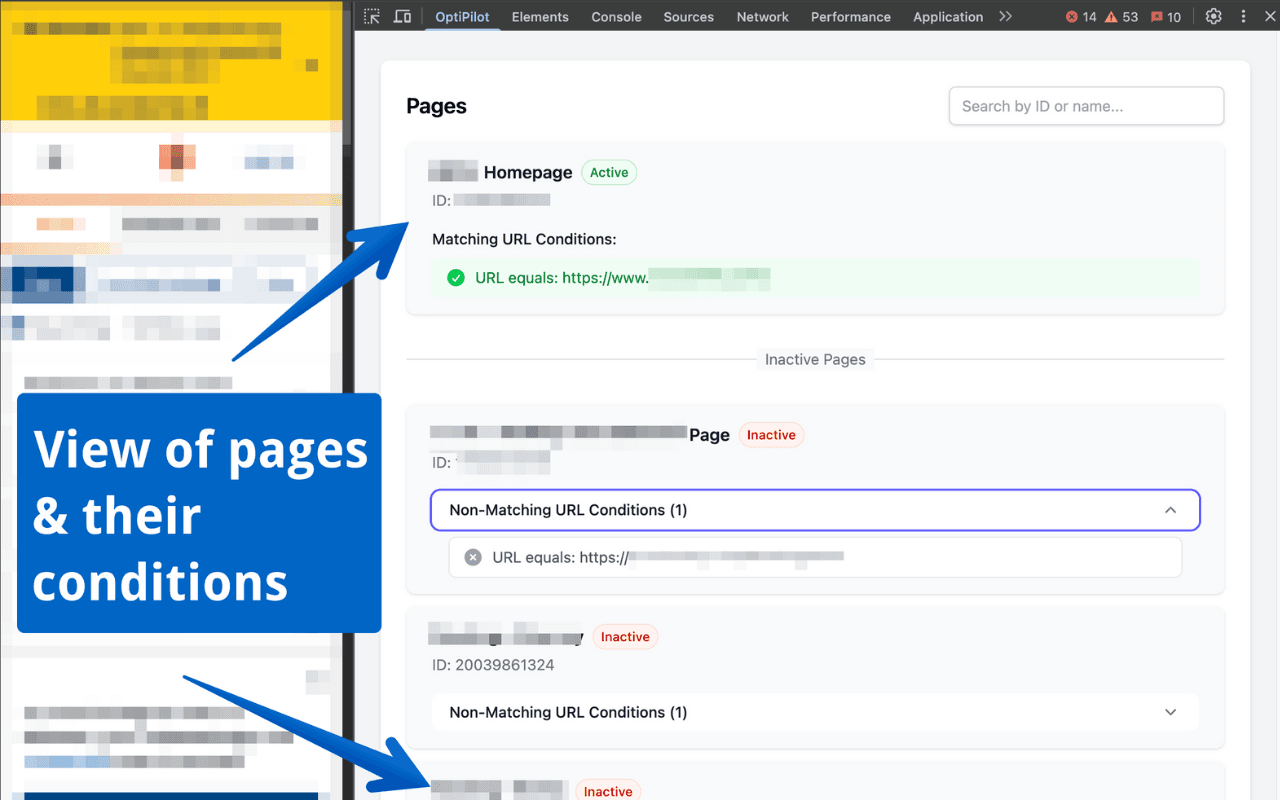
Add a purpose-built panel to Chrome DevTools and see why a visitor received a variation, where tracking broke, and what happened before the result you are looking at.
Explain the decision
Trace bucketing, audiences, holdbacks, and feature-flag rules.
Catch broken tracking
Validate events, tags, duplicates, and decision order as they happen.
Share the diagnosis
Export a redacted bundle instead of sending a screen recording and guesswork.
Free · No OptiPilot account · No analytics or telemetry
Experiment detail: the variation this visitor received, and the draw that produced it.
Use them now
Free experimentation tools
Make the statistical and QA decisions that slow teams down. Everything runs in your browser.
Browse by Topic
Why OptiPilot exists
The Mission
After years of implementing Optimizely across dozens of client projects, I’ve encountered nearly every edge case, integration challenge, and "gotcha" the platform has to offer. This site exists to share those hard-won lessons with the community.
The official Optimizely docs are comprehensive, but sometimes you need practical, real-world examples. You need to know why your MAU count is higher than expected. You need to understand how to properly forward GA4 events. You need the context that only comes from hands-on experience.
That’s what OptiPilot delivers: practical implementation guides, troubleshooting tips, and best practices from real-world Optimizely deployments.

Independent experimentation specialist
About the Author
David Sertillange is an independent experimentation specialist with 10 years implementing Optimizely across enterprise programs. He specializes in Feature Experimentation, analytics integrations, and helping teams build a culture of data-driven decision making.