

Integrate Datadog or New Relic with Optimizely Feature Experimentation
 David SertillangeIndependent experimentation specialist
TL;DR
Feature flags change application behavior at runtime, and that behavior change can affect performance. A flag that routes users to a new checkout flow might increase database query latency. A flag that enables a new recommendation engine might spike memory usage. Without connecting flag decisions to your APM data, performance regressions hide behind aggregate metrics — you see latency increase, but you cannot tell which variation caused it.
Integrating Optimizely Feature Experimentation with Datadog or New Relic adds feature flag context to your APM traces and transactions. This lets you filter dashboards, set alerts, and investigate performance issues by experiment variation.
This guide covers both Datadog and New Relic as independent options. Each section is self-contained — pick the one that matches your observability stack.
How the Integration Works
The Optimizely Feature Experimentation SDK fires a DECISION notification every time it evaluates a feature flag. You register a listener that captures the flag key and variation, then tags the current APM trace span (Datadog) or transaction (New Relic) with that data. Your APM platform then lets you slice all performance metrics by flag variation.
sequenceDiagram
    participant App as Application
    participant SDK as Optimizely SDK
    participant Listener as DECISION Listener
    participant APM as Datadog / New Relic Agent
    participant Dash as APM Dashboard

    App->>SDK: createInstance(sdkKey)
    App->>SDK: addNotificationListener(DECISION, callback)
    App->>SDK: user.decide("flag_key")
    SDK->>Listener: DECISION notification fires
    Listener->>APM: Tag current span/transaction with flag + variation
    App->>App: Handle request (DB queries, API calls, rendering)
    APM->>Dash: Trace data includes flag context
    Dash->>Dash: Filter latency, errors, throughput by variation
Decision Notification Data
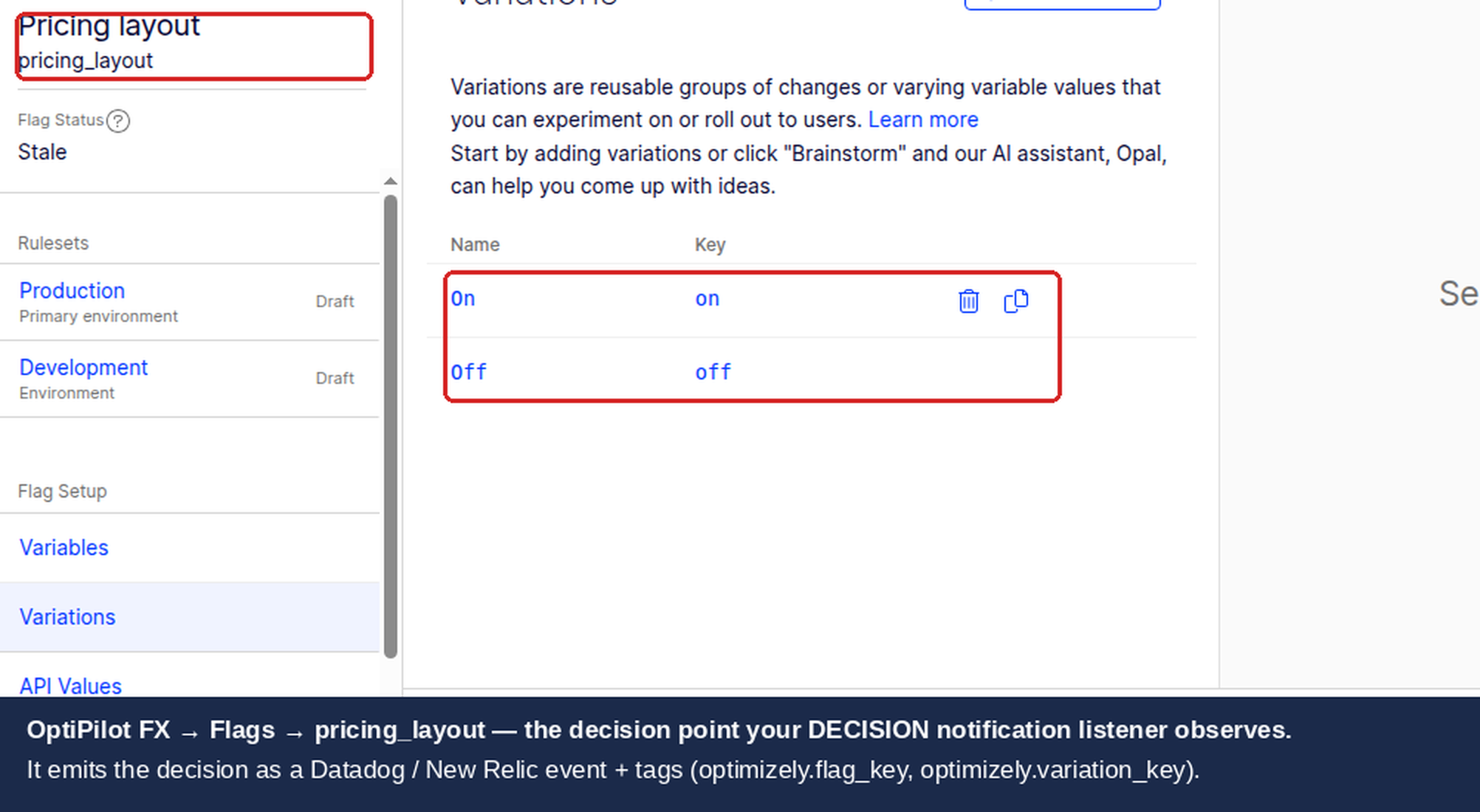
The DECISION notification provides the following data through the callback arguments:
Field | Location | Type | Description |
|---|---|---|---|
| Top level | string | Decision type — filter for |
| Top level | string | The user ID passed to the SDK |
| Top level | object | User attributes passed to the SDK |
|
| string | The feature flag key (e.g., |
|
| boolean | Whether the flag is enabled for this user |
|
| string | The assigned variation (e.g., |
|
| string | The rule that matched (experiment or rollout key) |
|
| boolean | Whether Optimizely sent an event to its own analytics |
Prerequisites
For either integration:
Optimizely Feature Experimentation SDK installed (JavaScript/Node.js SDK or Python SDK)
A feature flag with an experiment rule configured in your Optimizely project
APM agent installed and reporting to your platform:
Datadog:
dd-tracefor Node.js,ddtracefor PythonNew Relic:
newrelicfor Node.js,newrelicfor Python
Option A: Datadog
Datadog APM collects distributed traces with span-level metadata. By tagging spans with Optimizely flag decisions, you can filter trace analytics, create dashboards, and set monitors that alert on performance changes per variation.
Node.js Implementation
const tracer = require('dd-trace').init();
const optimizelySdk = require('@optimizely/optimizely-sdk');

const optimizely = optimizelySdk.createInstance({
  sdkKey: '<YOUR_SDK_KEY>',
});

optimizely.onReady().then(() => {
  // Register the DECISION notification listener BEFORE any decide() calls
  optimizely.notificationCenter.addNotificationListener(
    optimizelySdk.enums.NOTIFICATION_TYPES.DECISION,
    ({ type, userId, decisionInfo }) => {
      if (type !== 'flag') return;

      const { flagKey, enabled, variationKey, ruleKey } = decisionInfo;

      // Tag the active span with flag decision data
      const activeSpan = tracer.scope().active();
      if (activeSpan) {
        activeSpan.setTag(`optimizely.flag.${flagKey}`, enabled ? variationKey : 'off');
        activeSpan.setTag('optimizely.flag_key', flagKey);
        activeSpan.setTag('optimizely.variation_key', enabled ? variationKey : 'off');
        if (ruleKey) {
          activeSpan.setTag('optimizely.rule_key', ruleKey);
        }
      }
    }
  );
});

// In your request handler
function handleRequest(req, res) {
  const userId = req.userId;
  const user = optimizely.createUserContext(userId, { plan: req.userPlan });
  const decision = user.decide('checkout_redesign');

  // The DECISION listener fires and tags the current trace span
  if (decision.enabled) {
    // New checkout flow
    return processNewCheckout(req, res);
  }
  return processOriginalCheckout(req, res);
}
The tracer.scope().active() call retrieves the span that Datadog's auto-instrumentation created for the current request. By tagging this span, all child spans (database queries, HTTP calls, cache lookups) within the same trace inherit the flag context when you query trace analytics.
Python Implementation
from ddtrace import tracer
from optimizely import optimizely
from optimizely.helpers import enums

optimizely_client = optimizely.Optimizely(sdk_key='YOUR_SDK_KEY')

# The Python SDK calls DECISION listeners with four positional args
# (decision_type, user_id, attributes, decision_info) — encoded in
# enums.NotificationTypes.DECISION as
# "DECISION:type, user_id, attributes, decision_info". A single-arg
# (notification_type, args) signature receives the wrong values and silently
# returns when args.get('decision_info') is None. decision_info keys are
# snake_case in the Python SDK (flag_key, variation_key, rule_key, enabled).
def on_decision(decision_type, user_id, attributes, decision_info):
    if decision_type != 'flag':
        return

    flag_key = decision_info.get('flag_key', '')
    enabled = decision_info.get('enabled', False)
    variation_key = decision_info.get('variation_key', '')
    rule_key = decision_info.get('rule_key', '')

    # Tag the active span with flag decision data
    span = tracer.current_span()
    if span:
        variation_value = variation_key if enabled else 'off'
        span.set_tag(f'optimizely.flag.{flag_key}', variation_value)
        span.set_tag('optimizely.flag_key', flag_key)
        span.set_tag('optimizely.variation_key', variation_value)
        if rule_key:
            span.set_tag('optimizely.rule_key', rule_key)

# Register the listener BEFORE any decide() calls
optimizely_client.notification_center.add_notification_listener(
    enums.NotificationTypes.DECISION,
    on_decision,
)

# In your request handler (Flask example)
@app.route('/checkout', methods=['POST'])
def checkout():
    user_id = request.json['user_id']
    user = optimizely_client.create_user_context(user_id, {'plan': 'premium'})
    decision = user.decide('checkout_redesign')

    # The listener fires and tags the current Datadog span
    if decision.enabled:
        return process_new_checkout(request)
    return process_original_checkout(request)
Datadog Dashboard Setup
Once spans carry flag tags, build a dashboard to monitor performance by variation:
Go to Dashboards > New Dashboard.
Add a Timeseries widget:
Metric:
trace.web.request.duration(or your service's request duration metric)Group by:
optimizely.flag.checkout_redesignThis shows latency over time, split by variation
Add a Query Value widget for error rate:
Query:
trace.web.request.errors / trace.web.request.hitsFilter by:
optimizely.flag.checkout_redesign:variation_aAdd another for control — compare error rates side by side
Add a Top List widget:
Metric:
trace.web.request.duration.by.resource_nameFilter by:
optimizely.flag.checkout_redesign:variation_aShows which endpoints are slowest in the treatment variation
Datadog Monitors
Set up alerts when a flag variation causes performance degradation:
Go to Monitors > New Monitor > APM.
Select the service and resource.
Set the alert condition: "Average latency is above
Xms whenoptimizely.flag.checkout_redesignisvariation_a".Configure notification to your team channel.
This catches regressions before they affect experiment results — if the treatment variation introduces latency, you know immediately rather than discovering it after the experiment ends.
Generating Custom Metrics from Spans
For long-term tracking, generate custom metrics from span tags:
Go to APM > Setup & Configuration > Generate Metrics.
Create a new metric from spans:
Filter:
@optimizely.flag_key:checkout_redesignGroup by:
@optimizely.variation_keyMeasure:
Duration
This creates a custom metric with 15-month retention that you can use in dashboards and monitors without querying raw traces.
Option B: New Relic
New Relic APM tracks transactions and their attributes. By adding custom attributes to the current transaction, you can filter APM data, build NRQL dashboards, and set alert policies by experiment variation.
Node.js Implementation
const newrelic = require('newrelic');
const optimizelySdk = require('@optimizely/optimizely-sdk');

const optimizely = optimizelySdk.createInstance({
  sdkKey: '<YOUR_SDK_KEY>',
});

optimizely.onReady().then(() => {
  // Register the DECISION notification listener BEFORE any decide() calls
  optimizely.notificationCenter.addNotificationListener(
    optimizelySdk.enums.NOTIFICATION_TYPES.DECISION,
    ({ type, userId, decisionInfo }) => {
      if (type !== 'flag') return;

      const { flagKey, enabled, variationKey, ruleKey } = decisionInfo;
      const variationValue = enabled ? variationKey : 'off';

      // Add custom attributes to the current New Relic transaction
      newrelic.addCustomAttribute(`optimizely.flag.${flagKey}`, variationValue);
      newrelic.addCustomAttribute('optimizely.flag_key', flagKey);
      newrelic.addCustomAttribute('optimizely.variation_key', variationValue);
      if (ruleKey) {
        newrelic.addCustomAttribute('optimizely.rule_key', ruleKey);
      }
    }
  );
});

// In your request handler (Express example)
app.post('/checkout', (req, res) => {
  const userId = req.body.userId;
  const user = optimizely.createUserContext(userId, { plan: req.body.plan });
  const decision = user.decide('checkout_redesign');

  // The DECISION listener fires and adds attributes to the current transaction
  if (decision.enabled) {
    return processNewCheckout(req, res);
  }
  return processOriginalCheckout(req, res);
});
The newrelic.addCustomAttribute() call attaches data to the current transaction being tracked by the New Relic agent. The agent automatically instruments Express, Fastify, and other frameworks, so attributes added during request handling are associated with that specific transaction.
Python Implementation
import newrelic.agent
from optimizely import optimizely
from optimizely.helpers import enums

optimizely_client = optimizely.Optimizely(sdk_key='YOUR_SDK_KEY')

# The Python SDK calls DECISION listeners with four positional args
# (decision_type, user_id, attributes, decision_info) — encoded in
# enums.NotificationTypes.DECISION as
# "DECISION:type, user_id, attributes, decision_info". A single-arg
# (notification_type, args) signature receives the wrong values and silently
# returns when args.get('decision_info') is None. decision_info keys are
# snake_case in the Python SDK (flag_key, variation_key, rule_key, enabled).
def on_decision(decision_type, user_id, attributes, decision_info):
    if decision_type != 'flag':
        return

    flag_key = decision_info.get('flag_key', '')
    enabled = decision_info.get('enabled', False)
    variation_key = decision_info.get('variation_key', '')
    rule_key = decision_info.get('rule_key', '')

    variation_value = variation_key if enabled else 'off'

    # Add custom attributes to the current New Relic transaction
    newrelic.agent.add_custom_attribute(f'optimizely.flag.{flag_key}', variation_value)
    newrelic.agent.add_custom_attribute('optimizely.flag_key', flag_key)
    newrelic.agent.add_custom_attribute('optimizely.variation_key', variation_value)
    if rule_key:
        newrelic.agent.add_custom_attribute('optimizely.rule_key', rule_key)

# Register the listener BEFORE any decide() calls
optimizely_client.notification_center.add_notification_listener(
    enums.NotificationTypes.DECISION,
    on_decision,
)

# In your request handler (Flask example)
@app.route('/checkout', methods=['POST'])
def checkout():
    user_id = request.json['user_id']
    user = optimizely_client.create_user_context(user_id, {'plan': 'premium'})
    decision = user.decide('checkout_redesign')

    # The listener fires and adds attributes to the current New Relic transaction
    if decision.enabled:
        return process_new_checkout(request)
    return process_original_checkout(request)
New Relic Dashboard Setup (NRQL)
New Relic uses NRQL (New Relic Query Language) for custom dashboards. Once transactions carry flag attributes, query them directly:
Latency by variation:
SELECT average(duration) FROM Transaction
WHERE `optimizely.flag_key` = 'checkout_redesign'
FACET `optimizely.variation_key`
TIMESERIES AUTO
SINCE 1 day ago
Error rate by variation:
SELECT percentage(count(*), WHERE error IS true) FROM Transaction
WHERE `optimizely.flag_key` = 'checkout_redesign'
FACET `optimizely.variation_key`
SINCE 1 day ago
Throughput by variation:
SELECT rate(count(*), 1 minute) FROM Transaction
WHERE `optimizely.flag_key` = 'checkout_redesign'
FACET `optimizely.variation_key`
TIMESERIES AUTO
SINCE 1 day ago
Slowest endpoints in treatment variation:
SELECT average(duration) FROM Transaction
WHERE `optimizely.flag.checkout_redesign` = 'variation_a'
FACET name
SINCE 1 day ago
LIMIT 10
To build the dashboard:
Go to Dashboards > Create a dashboard.
Add widgets using the NRQL queries above.
Save and share with your team.
New Relic Alert Policies
Set up alerts when a variation degrades performance:
Go to Alerts > Alert Policies > New alert policy.
Add a NRQL alert condition:
SELECT average(duration) FROM Transaction
WHERE `optimizely.flag.checkout_redesign` = 'variation_a'
Set the threshold: "Critical when query returns a value above
Xfor at leastYminutes."Add a notification channel (Slack, PagerDuty, email).
Listener Registration Timing
The notification listener must be registered before any decide() calls. The Optimizely SDK fires the DECISION notification synchronously during decide(). If no listener is registered at that moment, the notification is discarded — the SDK does not replay past notifications to newly registered listeners.
// CORRECT: Register listener before decide()
optimizely.onReady().then(() => {
  optimizely.notificationCenter.addNotificationListener(
    enums.NOTIFICATION_TYPES.DECISION,
    callback
  );
  const decision = user.decide('flag_key'); // Listener fires
});

// WRONG: Registering after decide() misses the decision
optimizely.onReady().then(() => {
  const decision = user.decide('flag_key'); // No listener yet
  optimizely.notificationCenter.addNotificationListener(
    enums.NOTIFICATION_TYPES.DECISION,
    callback // Too late
  );
});
Validation
After deploying the integration, verify data flows correctly:
Datadog Validation
Deploy the integration to a staging environment.
Trigger a feature flag evaluation by making a request that calls
decide().In Datadog, go to APM > Traces and search for your service.
Open a trace and check the Metadata tab for spans tagged with
optimizely.flag.*.In Trace Analytics, filter by
@optimizely.flag_key:checkout_redesign— results should appear.
New Relic Validation
Deploy the integration to a staging environment.
Trigger a feature flag evaluation.
In New Relic, go to APM > your service > Transactions.
Click into a transaction and check Custom attributes — you should see
optimizely.flag.*attributes.Run the NRQL query:
SELECT count(*) FROM Transaction
WHERE `optimizely.flag_key` IS NOT NULL
SINCE 30 minutes ago
If results appear, the integration is working.
Gotchas
Span/Transaction Must Be Active
Both Datadog's tracer.scope().active() and New Relic's addCustomAttribute() only work when there is an active span or transaction in the current context. If decide() is called outside of a request lifecycle — for example, during application startup for caching warm-up, or in a background job without APM instrumentation — the tagging silently fails.
Verify your APM agent instruments the code path where decide() runs. For background workers, you may need to create a custom span (Datadog) or background transaction (New Relic) explicitly.
Multiple Flags Per Request
When a single request evaluates multiple feature flags, each flag tags the same span or transaction. This is the correct behavior — you can then filter by any combination of flags. The tag format optimizely.flag.<flag_key> ensures flags do not overwrite each other.
However, if you use generic tag names like optimizely.variation_key, only the last flag decision survives. The examples in this guide include both the generic tags (useful for "show me all flagged transactions") and the flag-specific tags (useful for "filter by this specific flag's variation").
High-Cardinality Tags
Each unique tag value creates a new time series in your APM platform. If you tag with user IDs, variation keys, and flag keys across many flags, the cardinality can grow quickly. Both Datadog and New Relic have tag cardinality limits — Datadog recommends keeping custom tags under a few hundred unique values per metric.
Stick to flag-level tags (flag key, variation key, rule key). Do not tag spans with user IDs, request IDs, or other high-cardinality values for APM purposes.
Deduplication Not Required for APM
Unlike analytics integrations (Mixpanel, Amplitude), APM tagging does not need deduplication. Each request that evaluates a flag should tag the corresponding span — even if the same user hits the same flag repeatedly. APM metrics are request-scoped, not user-scoped, so repeated tagging produces correct latency and error rate metrics.
Agent Initialization Order
Both dd-trace and newrelic must be initialized before other modules are imported (they monkey-patch Node.js built-ins for auto-instrumentation). If dd-trace or newrelic is required after your application code, auto-instrumentation will not capture the spans or transactions that your flag decisions need to tag.
// CORRECT: dd-trace first
const tracer = require('dd-trace').init();
const express = require('express');
const optimizelySdk = require('@optimizely/optimizely-sdk');

// WRONG: dd-trace after express
const express = require('express');
const tracer = require('dd-trace').init(); // Too late to instrument express
The same applies to New Relic — require('newrelic') must be the very first line in your application entry point.
Troubleshooting
Tags/Attributes Not Appearing in APM
Verify the APM agent is running: Check your service's APM page — if no traces appear at all, the agent is not instrumented correctly.
Verify the listener fires: Add a
console.loginside the DECISION callback to confirm it executes.Verify the span/transaction is active: Log
tracer.scope().active()(Datadog) or check if the code runs inside a web framework request handler.Check agent initialization order: The APM agent must be imported before all other modules.
Check for tag name restrictions: Datadog tag names must be lowercase and cannot exceed 200 characters. New Relic attribute names cannot exceed 255 characters.
Latency Metrics Look the Same Across Variations
If latency metrics appear identical between control and treatment:
Confirm the flag is evaluating differently: Log the
variationKeyin the DECISION callback to verify users are actually being split between variations.Check sample size: APM metrics need sufficient request volume per variation to show meaningful differences. Wait for at least a few hundred requests per variation.
Check the right metric: Ensure you are querying the service and resource where the flag changes behavior. If the flag only affects a downstream microservice, the latency difference may appear there, not in the gateway service.
Data Discrepancies Between Optimizely and APM
APM platforms count requests, not unique users. Optimizely's stats engine counts unique visitors. These are fundamentally different units. A single user who makes 50 requests generates 50 APM data points but counts as 1 Optimizely visitor. Do not compare APM request counts with Optimizely visitor counts — use APM for performance analysis and Optimizely for statistical experiment results.
Related guides
Independent experimentation specialist
David Sertillange is an independent experimentation specialist with 10 years implementing Optimizely across enterprise programs. He specializes in Feature Experimentation, analytics integrations, and helping teams build a culture of data-driven decision making.
Related articles
Subscribe
Practical Optimizely tips, monthly. No fluff.