
Integrate Heap with Optimizely Feature Experimentation
 David SertillangeIndependent experimentation specialist
TL;DR
Optimizely Feature Experimentation uses SDK-based feature flags that run server-side, outside Heap's JavaScript snippet. Integrating with Heap sends experiment decision data directly to Heap's HTTP Track API as events and user properties, enabling behavioral segmentation by experiment variation, funnel analysis comparing treatment groups, and journey analysis showing how users navigate through your product differently across variations.
This guide covers JavaScript/Node.js and Python implementations using the SDK's Decision Notification Listener and Heap's server-side HTTP API, explains how to structure the data for Heap analysis, and walks through using Heap Connect for warehouse-based experiment analysis.
How the Integration Works
When the Optimizely Feature Experimentation SDK evaluates a feature flag using the decide() method, it fires a DECISION notification. You register a listener for this notification that captures the flag key, variation key, and experiment details, then sends the data to Heap via HTTP POST requests — one to the Track API for the event, one to the User Properties API to associate the experiment variation with the user profile. Heap then associates the experiment context with all subsequent events from that user, enabling segmentation and funnel analysis.
sequenceDiagram
    participant App as Application
    participant SDK as Optimizely SDK
    participant Listener as DECISION Listener
    participant Heap as Heap HTTP API
    participant Dash as Heap Dashboard

    App->>SDK: createInstance(sdkKey)
    App->>SDK: addNotificationListener(DECISION, callback)
    App->>SDK: user.decide("flag_key")
    SDK->>Listener: DECISION notification fires
    Listener->>Heap: POST /api/track — "Experiment Viewed" event
    Listener->>Heap: POST /api/add_user_properties — set variation property
    Heap->>Dash: Event + user property indexed
    Dash->>Dash: Build segments, funnels, journeys by variation
Decision Notification Data
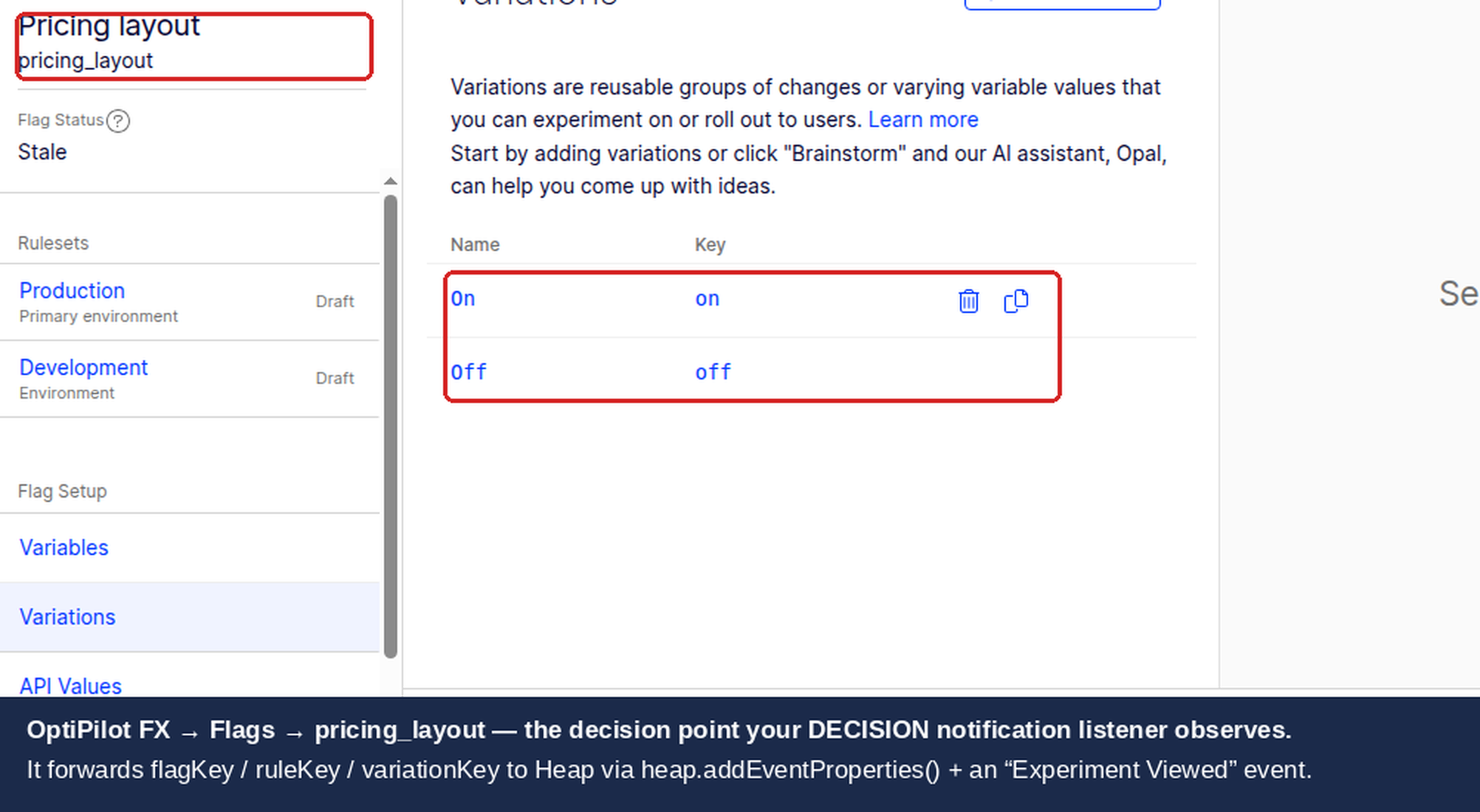
The DECISION notification provides the following data through the callback arguments:
Field | Location | Type | Description |
|---|---|---|---|
| Top level | string | Decision type — filter for |
| Top level | string | The user ID passed to the SDK |
| Top level | object | User attributes passed to the SDK |
|
| string | The feature flag key (e.g., |
|
| boolean | Whether the flag is enabled for this user |
|
| string | The assigned variation (e.g., |
|
| string | The rule that matched (experiment or rollout key) |
|
| boolean | Whether Optimizely sent an event to its own analytics |
The decisionEventDispatched field indicates whether Optimizely dispatched a decision event to its own analytics backend. Your Heap integration should still send data regardless of this value, because Heap needs the experiment context associated with every relevant user session.
User Property Format
The user property follows a consistent naming convention across all analytics integrations:
[Optimizely] flagKey = variationKey
For example, a user bucketed into the variation_a treatment of a checkout_redesign flag would have the Heap user property:
[Optimizely] checkout_redesign = variation_a
This namespacing groups all Optimizely experiments under the [Optimizely] prefix, making them easy to locate in Heap's property pickers.
Prerequisites
Before starting the integration:
Optimizely Feature Experimentation SDK installed for your platform (JavaScript SDK v6+, Node.js SDK, or Python SDK).
Heap App ID — found in Heap under Account > Manage > Environments. Each environment (development, production) has its own App ID.
HTTP client — Node.js 18+ has
fetchbuilt-in; for older versions, installnode-fetch. Python uses therequestslibrary.Consistent user identity — the
identityfield sent to Heap's server-side API must match the value passed toheap.identify()in your client-side JavaScript. Without this match, server-side experiment events land on a different Heap profile than the user's browser session data, breaking cross-platform analysis.
JavaScript / Node.js Implementation
Browser Setup
When running the Optimizely FX SDK in the browser, use the Heap JavaScript snippet methods directly instead of the HTTP API. This is the simplest path because Heap's snippet is already loaded on the page.
import { createInstance, enums } from '@optimizely/optimizely-sdk';

// Assumes heap snippet is loaded and window.heap is available
const optimizely = createInstance({
  sdkKey: '<YOUR_SDK_KEY>',
});

optimizely.onReady().then(() => {
  optimizely.notificationCenter.addNotificationListener(
    enums.NOTIFICATION_TYPES.DECISION,
    ({ type, userId, decisionInfo }) => {
      if (type !== 'flag') return;

      const { flagKey, enabled, variationKey, ruleKey } = decisionInfo;

      // Set user property: [Optimizely] flagKey = variationKey
      const propertyName = `[Optimizely] ${flagKey}`;
      const propertyValue = enabled ? variationKey : 'off';

      heap.addUserProperties({ [propertyName]: propertyValue });

      // Track the Experiment Viewed event
      heap.track('Experiment Viewed', {
        flag_key: flagKey,
        variation_key: variationKey,
        rule_key: ruleKey,
        enabled: enabled,
      });
    }
  );

  const user = optimizely.createUserContext(userId, userAttributes);
  const decision = user.decide('checkout_redesign');
  console.log('Variation:', decision.variationKey);
});
Node.js Setup
There is no maintained server-side Heap SDK. The old heap-api npm package is deprecated and should not be used in new projects. Instead, call Heap's HTTP Track API directly using fetch or node-fetch.
import { createInstance, enums } from '@optimizely/optimizely-sdk';

const HEAP_APP_ID = process.env.HEAP_APP_ID;
const HEAP_TRACK_URL = 'https://heapanalytics.com/api/track';
const HEAP_USER_PROPS_URL = 'https://heapanalytics.com/api/add_user_properties';

// EU data residency — use these instead if your Heap account is on EU infrastructure
// const HEAP_TRACK_URL = 'https://c.eu.heap-api.com/api/track';
// const HEAP_USER_PROPS_URL = 'https://c.eu.heap-api.com/api/add_user_properties';

async function sendToHeap(identity, eventName, eventProperties, userProperties) {
  const headers = { 'Content-Type': 'application/json' };

  // Send the track event
  const trackBody = {
    app_id: HEAP_APP_ID,
    identity,
    event: eventName,
    properties: eventProperties,
  };

  const trackResponse = await fetch(HEAP_TRACK_URL, {
    method: 'POST',
    headers,
    body: JSON.stringify(trackBody),
  });

  if (!trackResponse.ok) {
    console.error(`Heap track failed: ${trackResponse.status}`, await trackResponse.text());
  }

  // Set user properties
  if (userProperties && Object.keys(userProperties).length > 0) {
    const propsBody = {
      app_id: HEAP_APP_ID,
      identity,
      properties: userProperties,
    };

    const propsResponse = await fetch(HEAP_USER_PROPS_URL, {
      method: 'POST',
      headers,
      body: JSON.stringify(propsBody),
    });

    if (!propsResponse.ok) {
      console.error(`Heap user props failed: ${propsResponse.status}`, await propsResponse.text());
    }
  }
}

// Initialize Optimizely
const optimizely = createInstance({
  sdkKey: process.env.OPTIMIZELY_SDK_KEY,
});

optimizely.onReady().then(() => {
  optimizely.notificationCenter.addNotificationListener(
    enums.NOTIFICATION_TYPES.DECISION,
    async ({ type, userId, decisionInfo }) => {
      if (type !== 'flag') return;

      const { flagKey, enabled, variationKey, ruleKey } = decisionInfo;

      const propertyName = `[Optimizely] ${flagKey}`;
      const propertyValue = enabled ? variationKey : 'off';

      await sendToHeap(
        userId,
        'Experiment Viewed',
        {
          flag_key: flagKey,
          variation_key: variationKey,
          rule_key: ruleKey,
          enabled: enabled,
        },
        { [propertyName]: propertyValue }
      );
    }
  );
});

// In your request handler
async function handleRequest(userId, userAttributes) {
  const user = optimizely.createUserContext(userId, userAttributes);
  const decision = user.decide('checkout_redesign');
  // The DECISION listener fires and sends data to Heap
  return decision;
}
Deduplication with idempotency_key
If your application calls decide() on every request for the same user, the listener fires repeatedly and sends duplicate events to Heap. The Heap Track API accepts an optional idempotency_key field that tells Heap to deduplicate events with the same key within a short window.
const trackBody = {
  app_id: HEAP_APP_ID,
  identity,
  event: eventName,
  properties: eventProperties,
  // Deduplicate based on user + flag combination
  idempotency_key: `${identity}:${eventProperties.flag_key}:${eventProperties.variation_key}`,
};
Alternatively, maintain a per-request or per-session Set of processed decisions and skip the HTTP call if the combination has already been sent.
Listener Registration Timing
The notification listener must be registered before any decide() calls. The Optimizely SDK does not replay past decisions to newly registered listeners.
// CORRECT: Register listener before decide()
optimizely.onReady().then(() => {
  optimizely.notificationCenter.addNotificationListener(
    enums.NOTIFICATION_TYPES.DECISION,
    callback
  );
  const user = optimizely.createUserContext(userId, attributes);
  const decision = user.decide('flag_key'); // Listener fires
});

// WRONG: Registering after decide() misses the decision
optimizely.onReady().then(() => {
  const user = optimizely.createUserContext(userId, attributes);
  const decision = user.decide('flag_key'); // Listener not registered yet — decision is lost
  optimizely.notificationCenter.addNotificationListener(
    enums.NOTIFICATION_TYPES.DECISION,
    callback // Too late
  );
});
Python Implementation
The Python SDK uses the same notification listener pattern. Use the requests library to call Heap's HTTP API.
import os
import requests
from optimizely import optimizely
from optimizely.helpers import enums

HEAP_APP_ID = os.environ['HEAP_APP_ID']
HEAP_TRACK_URL = 'https://heapanalytics.com/api/track'
HEAP_USER_PROPS_URL = 'https://heapanalytics.com/api/add_user_properties'

# EU data residency — use these instead if your Heap account is on EU infrastructure
# HEAP_TRACK_URL = 'https://c.eu.heap-api.com/api/track'
# HEAP_USER_PROPS_URL = 'https://c.eu.heap-api.com/api/add_user_properties'

def send_to_heap(identity, event_name, event_properties, user_properties=None):
    headers = {'Content-Type': 'application/json'}

    # Send the track event
    track_payload = {
        'app_id': HEAP_APP_ID,
        'identity': identity,
        'event': event_name,
        'properties': event_properties,
    }

    try:
        response = requests.post(HEAP_TRACK_URL, json=track_payload, headers=headers, timeout=5)
        if response.status_code != 200:
            print(f'Heap track failed: {response.status_code} {response.text}')
    except requests.RequestException as e:
        print(f'Heap track request error: {e}')

    # Set user properties
    if user_properties:
        props_payload = {
            'app_id': HEAP_APP_ID,
            'identity': identity,
            'properties': user_properties,
        }
        try:
            response = requests.post(HEAP_USER_PROPS_URL, json=props_payload, headers=headers, timeout=5)
            if response.status_code != 200:
                print(f'Heap user props failed: {response.status_code} {response.text}')
        except requests.RequestException as e:
            print(f'Heap user props request error: {e}')


# The Python SDK calls DECISION listeners with four positional args
# (decision_type, user_id, attributes, decision_info) — encoded in
# enums.NotificationTypes.DECISION as
# "DECISION:type, user_id, attributes, decision_info". A single-arg
# (notification_type, args) signature receives the wrong values and silently
# returns when args.get('decisionInfo') is None.
def on_decision(decision_type, user_id, attributes, decision_info):
    # Only process flag decisions
    if decision_type != 'flag':
        return

    # decision_info keys are snake_case in the Python SDK
    flag_key = decision_info.get('flag_key', '')
    enabled = decision_info.get('enabled', False)
    variation_key = decision_info.get('variation_key', '')
    rule_key = decision_info.get('rule_key', '')

    property_name = f'[Optimizely] {flag_key}'
    property_value = variation_key if enabled else 'off'

    send_to_heap(
        identity=user_id,
        event_name='Experiment Viewed',
        event_properties={
            'flag_key': flag_key,
            'variation_key': variation_key,
            'rule_key': rule_key,
            'enabled': enabled,
        },
        user_properties={property_name: property_value},
    )


# Initialize Optimizely
optimizely_client = optimizely.Optimizely(sdk_key=os.environ['OPTIMIZELY_SDK_KEY'])

# Register the listener BEFORE any decide() calls
notification_id = optimizely_client.notification_center.add_notification_listener(
    enums.NotificationTypes.DECISION,
    on_decision,
)

# Make a decision — the listener fires automatically
user = optimizely_client.create_user_context('user_123', {'plan': 'premium'})
decision = user.decide('checkout_redesign')
print(f'Variation: {decision.variation_key}')
For high-throughput services, consider wrapping the send_to_heap calls in a background thread or async task queue to avoid blocking request handling while waiting for HTTP responses.
Building Segments and Funnels in Heap
Heap's analysis tools work against the user property and event data sent by the integration. The following patterns are the most useful for experiment analysis.
Creating a Segment by Variation
Go to Segments in Heap and click New Segment.
Add a filter: user property
[Optimizely] checkout_redesignequalsvariation_a.Save the segment (e.g., "Checkout Redesign — Treatment").
Repeat for control: user property
[Optimizely] checkout_redesignequalscontrol.
These segments update automatically as new users are bucketed.
Funnel Analysis by Variation
Go to Funnels and define your conversion steps (e.g., Add to Cart > Begin Checkout > Purchase Complete).
In the Breakdown or Filter panel, add the user property
[Optimizely] checkout_redesign.Heap shows conversion rates per variation side by side.
Journey Analysis
Heap's Session Replay and Journeys features can be filtered by user segment. After creating variation segments, apply them to the Journeys view to see how users in each variation navigate through your application. This is particularly useful for identifying unexpected drop-off patterns or unintended behavior changes caused by a feature flag.
Analysis Types at a Glance
Analysis Type | Use Case |
|---|---|
Funnels | Compare conversion rates through multi-step flows by variation |
Retention | Measure whether a variation improves long-term return rate |
Journeys | Visualize navigation paths for each treatment group |
Event Segmentation | Compare event volumes (clicks, errors, form completions) by variation |
User Lookup | Inspect individual users to verify experiment assignment |
Session Replay | Watch sessions filtered by variation to observe qualitative differences |
Retention Analysis
Go to Retention in Heap.
Set the initial event to "Experiment Viewed" and add a property filter:
flag_key = checkout_redesign.Set the return event to your key engagement metric (e.g., "Purchase Complete").
Break down by user property
[Optimizely] checkout_redesign.Compare Day 1, Day 7, and Day 30 retention across control and treatment.
Heap Connect
Heap Connect exports all event data and user properties to your data warehouse — Snowflake, BigQuery, Redshift, or Amazon S3. Because experiment decision data is stored as Heap events and user properties, it is included in the export automatically without additional configuration.
The three primary tables exported by Heap Connect are:
Table | Contents | Experiment Use |
|---|---|---|
| All tracked events with properties and timestamps | Query "Experiment Viewed" rows filtered by |
| User profiles with all user properties | Join on |
| Session-level data linked to users | Analyze session metrics broken down by variation |
A basic SQL query to count conversions by variation:
SELECT
  u.properties->>'[Optimizely] checkout_redesign' AS variation,
  COUNT(DISTINCT e.user_id) AS users,
  SUM(CASE WHEN e.event_type = 'Purchase Complete' THEN 1 ELSE 0 END) AS conversions,
  ROUND(
    100.0 * SUM(CASE WHEN e.event_type = 'Purchase Complete' THEN 1 ELSE 0 END)
    / COUNT(DISTINCT e.user_id), 2
  ) AS conversion_rate_pct
FROM all_events e
JOIN users u ON e.user_id = u.user_id
WHERE e.event_type IN ('Experiment Viewed', 'Purchase Complete')
  AND e.properties->>'flag_key' = 'checkout_redesign'
GROUP BY 1
ORDER BY 1;
Heap Connect is a paid Heap feature available on Growth and Enterprise plans. Contact Heap support to enable it for your account.
Gotchas
No Official Server-Side SDK
Heap does not provide a maintained server-side SDK. The heap-api npm package on npm is deprecated and unmaintained — do not use it in new projects. All server-side integration must go through the HTTP API directly, as shown in the examples above. This is straightforward but means you are responsible for error handling, retries, and rate limit management.
Identity Matching Is Critical
The identity field in the HTTP API request must match the value passed to heap.identify() in your client-side JavaScript. Heap uses this value to stitch server-side events onto the correct user profile. If they diverge — for example, because the server uses a database user ID while the client uses an email address — the experiment data lands on a different Heap profile than all the user's browser session data, making cross-platform analysis unreliable.
A consistent pattern is to use the same authenticated user ID in both contexts:
// Client-side (browser)
heap.identify(currentUser.id);

// Server-side (Node.js) — same value
await sendToHeap(currentUser.id, 'Experiment Viewed', properties, userProps);
For anonymous users, use the same anonymous identifier on both sides. Be aware that Heap's client-side anonymous ID is device-scoped and may not be accessible server-side without explicit passing.
HTTP API Is Fire-and-Forget
Heap's Track API returns 200 {} on acceptance, not on processing. A 200 response means the event was received, not that it appears in your dashboard immediately. Events typically appear within a few minutes but can be delayed. Do not rely on real-time verification of server-side events for debugging — use Heap's Event Visualizer (which only works with the browser snippet) for client-side validation and check the "All Events" view for server-side events after a short delay.
Rate Limits
Heap's server-side API is rate-limited to 30 requests per 30 seconds per identity per App ID. In practice this is rarely a problem for experiment integrations, because each user is bucketed into a flag at most once per session. However, if your application calls decide() frequently for the same user — for example, evaluating multiple flags on every request — you may approach this limit. Use the idempotency_key field or implement client-side deduplication to collapse duplicate calls.
Multiple decide() Calls
The DECISION notification fires on every decide() call, even if the user was already bucketed in a prior request. This is normal Optimizely behavior. For server-side applications, this typically means one event per request per flag. If event volume is a concern, implement a per-session deduplication cache:
// Simple in-memory deduplication (per process instance)
const sentDecisions = new Set();

optimizely.notificationCenter.addNotificationListener(
  enums.NOTIFICATION_TYPES.DECISION,
  async ({ type, userId, decisionInfo }) => {
    if (type !== 'flag') return;

    const key = `${userId}:${decisionInfo.flagKey}`;
    if (sentDecisions.has(key)) return;
    sentDecisions.add(key);

    // Send to Heap only once per user per flag
    await sendToHeap(/* ... */);
  }
);
For distributed systems with multiple instances, this in-memory approach only deduplicates within a single process. Consider a shared cache (Redis, Memcached) for cross-instance deduplication if the event volume warrants it.
EU Data Residency
If your Heap account is configured for EU data residency, all API calls must go to c.eu.heap-api.com instead of heapanalytics.com. Using the wrong endpoint will result in 400 or redirect responses. Check your Heap account region under Account > Manage > Environments if you are unsure.
Listener Registration Timing
The DECISION notification listener must be registered before any decide() calls are made. In long-lived server processes, register the listener once during initialization — not inside request handlers. In short-lived functions (AWS Lambda, Vercel Functions), register the listener inside the function handler before calling decide(), but after onReady() resolves.
Troubleshooting
Events Not Appearing in Heap
If "Experiment Viewed" events do not appear in Heap's event list:
Wrong App ID: The
app_idin the request body must match the environment you are inspecting in Heap. Development and production environments have different App IDs.HTTP error response: Log the response body from Heap's API. A
400 {}response indicates a malformed request — check thatapp_id,identity, andeventare all present and non-empty, and that no property value exceeds 1,024 characters. Event names must also be under 1,024 characters.Identity is empty: If
userIdfrom the Optimizely notification is an empty string or undefined, Heap rejects the request. Ensure the user context is created with a non-empty ID.Rate limiting: If sending many events in rapid succession, you may hit the 30 req/30s limit. Check for
429responses.
User Properties Not Merging with Client-Side Data
If experiment user properties appear on a separate Heap profile from the user's browser session:
Identity mismatch: Confirm the
identityvalue sent server-side exactly matches the argument toheap.identify()on the client. Values are case-sensitive.Client-side identify not called: If the browser session never calls
heap.identify(), the user's browser activity is attributed to an anonymous device ID. Server-side events sent with a named identity create a separate profile. Callheap.identify()as early as possible after authentication.Profile merge delay: Heap's identity resolution can take a few minutes to merge anonymous and identified profiles. Wait before concluding there is a data issue.
Decision Listener Fires But Data Is Wrong
If the listener fires but sends unexpected values:
Check
decisionInfoshape: Log the fulldecisionInfoobject to verify it matches the expected structure. IfflagKeyis undefined, the flag may not have an experiment rule configured in Optimizely.enabled: falsevariation key: When a flag is off for a user,variationKeymay be an empty string. The integration handles this by sending"off"as the property value, but confirm your implementation does the same.ruleKeyis empty string: If the flag matched no experiment or rollout rule,ruleKeyis an empty string. This is expected for flags evaluated outside of any active experiment.
Data Discrepancies Between Platforms
Differences between Optimizely experiment counts and Heap event counts are expected and normal:
Counting methodology: Optimizely counts unique visitors per experiment session. Heap counts events and may deduplicate differently based on session window configuration.
Identity resolution: Anonymous users on the client side may not merge with named server-side identities if
heap.identify()was never called.Fire-and-forget delivery: HTTP requests to Heap's API can fail silently if network errors occur server-side. Implement logging and monitoring on the HTTP responses to track dropped events.
Discrepancies of 5–15% are typical. Investigate if differences exceed 20% or are skewed toward a specific variation.
HTTP 400 Responses
A 400 {} response from Heap's Track API indicates a field constraint violation. Common causes:
Event name exceeds 1,024 characters.
A property value exceeds 1,024 characters (check
ruleKeyorflagKeylength in unusual configurations).app_idis missing from the request body.identityis missing or is a numeric type instead of a string — always pass identity as a string.
Related guides
Independent experimentation specialist
David Sertillange is an independent experimentation specialist with 10 years implementing Optimizely across enterprise programs. He specializes in Feature Experimentation, analytics integrations, and helping teams build a culture of data-driven decision making.
Also available for
Related articles
Subscribe
Practical Optimizely tips, monthly. No fluff.